
Download GiddyUp – Secure Kid‑Friendly Web Browser for Parents, Teachers & Schools
Overview – A Secure Kid‑Friendly Browsing Experience
In today’s digital age, parents and educators constantly wrestle with the challenge of providing children access to the internet while protecting them from inappropriate content, accidental downloads, and unsafe system settings. GiddyUp (formerly CutX) answers that call with a purpose‑built web browser that blends the familiar performance of Safari’s WebKit engine with a robust set of parental‑control tools. Designed specifically for children, GiddyUp creates a sandboxed environment where only approved websites, applications, and system functions are reachable.
The browser is widely adopted in schools because it satisfies strict child‑safety policies and complies with educational standards for online learning. By default, GiddyUp blocks adult‑oriented material, prevents the installation of unknown extensions, and disables direct access to operating‑system settings that could be misused. The result is a smooth, stable browsing experience that feels just like a regular browser but with a protective layer that parents can trust.
While its filtering algorithms can sometimes be over‑cautious—occasionally flagging perfectly safe educational content—the overall reliability, ease of customization, and familiar user interface make GiddyUp a solid choice for any household or classroom seeking a basic yet functional child‑safe browser.
Core Features that Keep Kids Safe Online
- Granular Website Whitelisting – Add or remove specific URLs with a simple drag‑and‑drop interface, giving parents precise control over what children can visit.
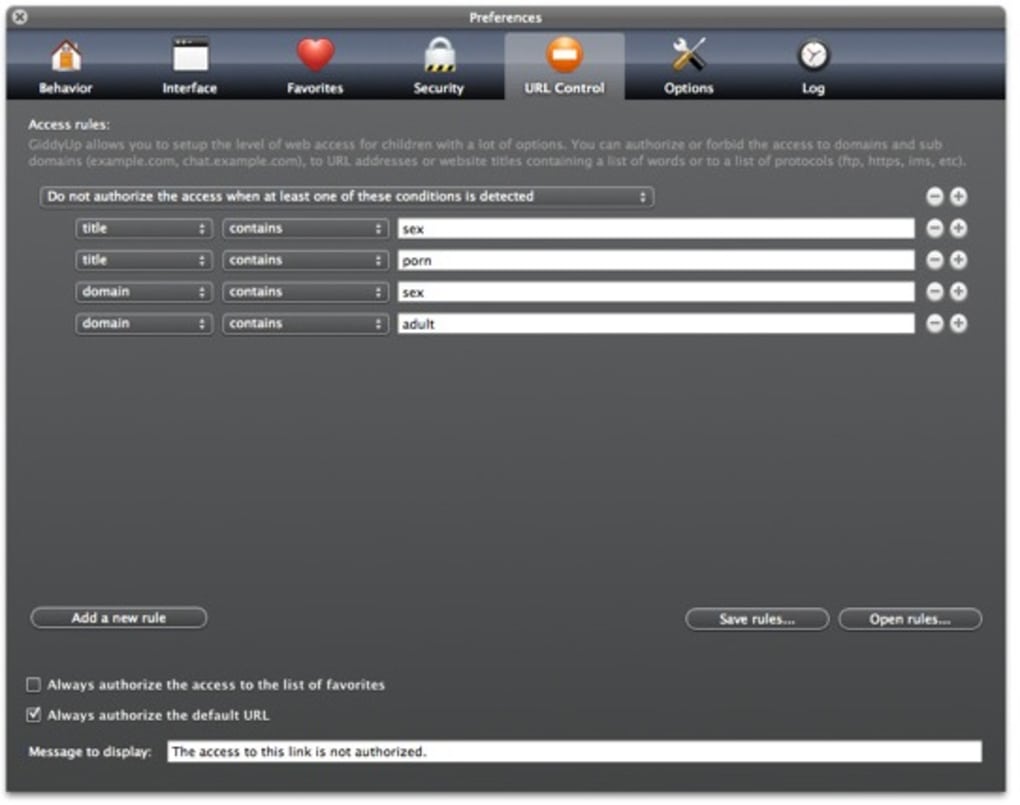
- Content Category Blocking – Pre‑defined filters block adult, violent, gambling, and other high‑risk categories automatically.
- Download Prevention – The browser disables file downloads and installation prompts, eliminating the risk of malware or unwanted software.
- System Settings Lockdown – Direct access to OS preferences, network settings, and other system‑level controls is blocked, ensuring children cannot change critical configurations.
- Teacher & School Mode – A special profile lets educators enforce school‑wide policies, synchronize safe‑search lists, and monitor browsing sessions in real time.
- WebKit‑Based Performance – Because GiddyUp runs on the same engine as Safari, page rendering is fast, standards‑compliant, and energy‑efficient on both Mac and iOS devices.
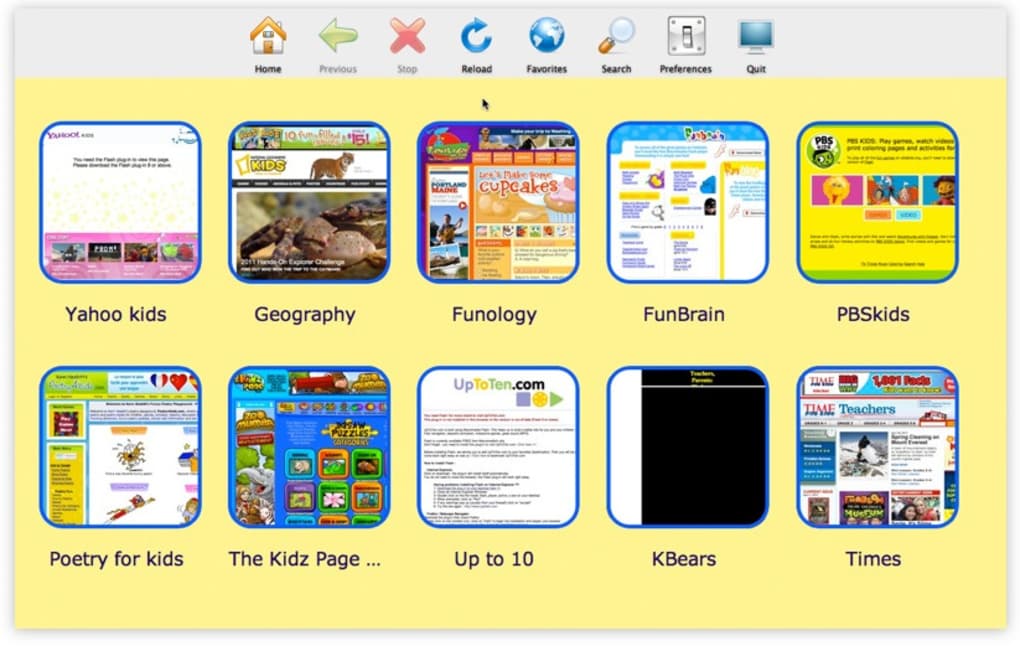
- Customizable Home Page – Parents can set a curated homepage featuring educational resources, homework portals, or approved entertainment sites.
- Secure Updates – Automatic, signed updates keep the browser current with the latest security patches without requiring admin intervention.
- Multi‑Device Sync – Settings and whitelists can be synchronized across multiple devices, ensuring consistent protection on a child’s laptop, tablet, or desktop.
- Activity Reports – Weekly email summaries provide insight into visited sites, attempted blocks, and overall usage patterns.
Step‑by‑Step Installation and Everyday Usage
Installing GiddyUp is intentionally straightforward so that parents without advanced technical knowledge can get the browser up and running in minutes. Follow these steps to download, install, and begin managing a child‑safe browsing environment:
- Download the Installer – Visit the official GiddyUp website or trusted app store and click the “Download for Mac” button. The installer is a signed .dmg file that verifies its authenticity.
- Run the Installer – Open the .dmg, drag the GiddyUp icon into your Applications folder, and confirm any macOS security prompts (you may need to allow the app under System Preferences → Security & Privacy).
- Create a Parent Profile – On first launch, you’ll be prompted to set a secure PIN. This PIN protects the settings menu from unauthorized changes.
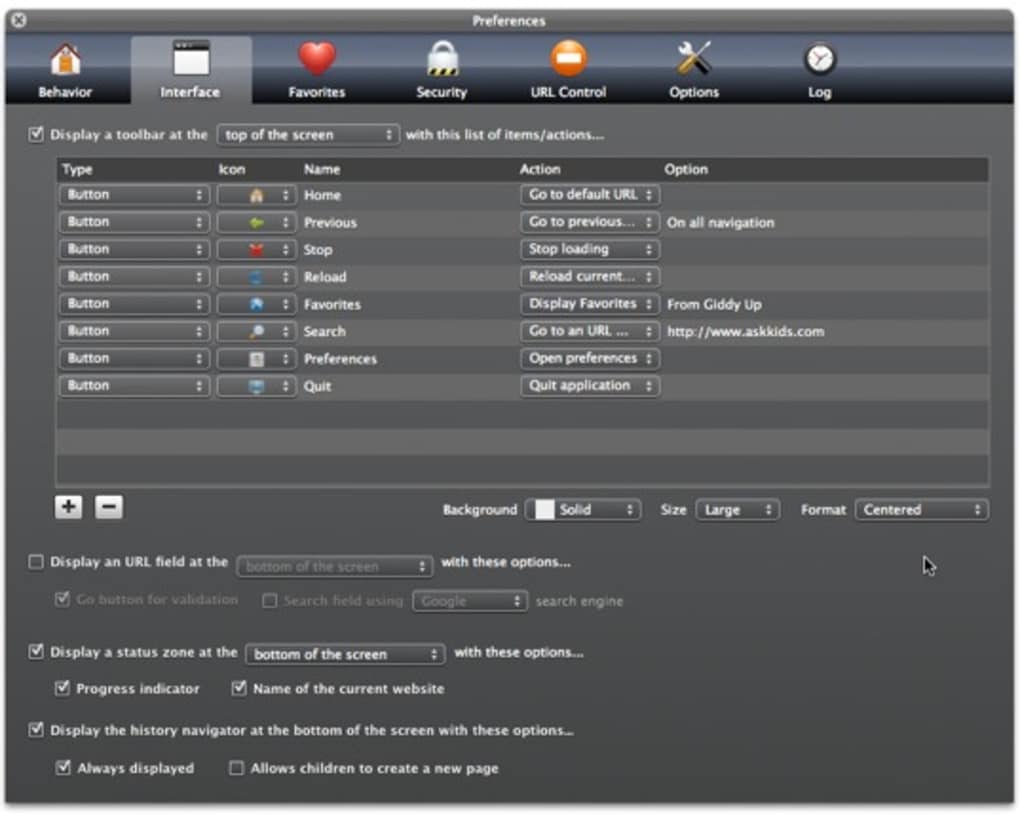
- Configure Whitelists & Filters – Use the intuitive Settings panel to add trusted sites, adjust category filters, and enable or disable download protection. You can also import a pre‑made list from a school district or other parent community.
- Assign Child Profiles – For each child, create a dedicated profile linked to the parent PIN. Profiles store individual browsing histories, allowing you to tailor safe‑search levels per age group.
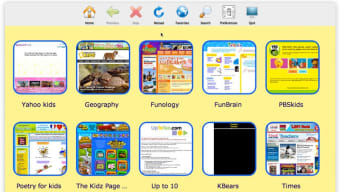
- Launch and Browse – Children will see a simplified toolbar, a colorful safe‑search banner, and a locked settings icon. Any attempt to navigate to a blocked site triggers a friendly “Oops! This page is not allowed” message, helping teach safe online habits.
- Monitor & Adjust – The Dashboard offers real‑time insights. If a child needs access to a new educational site, simply add the URL to the whitelist and the change propagates instantly across all devices.
Regular maintenance is minimal: GiddyUp checks for updates on launch and installs them automatically. Should you ever need to reset the browser or remove a child’s profile, the Settings menu provides a clear “Reset to Default” option that wipes all customizations while preserving the core safety engine.
Compatibility, Pros & Cons, and Frequently Asked Questions
GiddyUp is built for modern macOS environments and runs seamlessly on macOS 10.7 Lion and later, including macOS Ventura, Monterey, and Big Sur. Its reliance on the WebKit engine ensures compatibility with the latest web standards, HTML5, and CSS3. While a Windows version is planned for future releases, the current focus remains on delivering a rock‑solid experience for Apple devices used in most schools and homes.
Pros
- Easy‑to‑use parental controls with granular whitelist management.
- WebKit performance identical to Safari – fast page loads and low battery drain.
- Automatic, signed updates keep security current without manual effort.
- Comprehensive activity reports help parents stay informed.
- Teacher mode enables school‑wide policy enforcement and monitoring.
Cons
- Over‑aggressive filtering can block legitimate educational content, requiring occasional manual overrides.
- No native Windows or Android version yet, limiting cross‑platform use.
- Limited customization of the browser UI beyond the safe‑search theme.
- Requires macOS 10.7 or newer – older hardware cannot install.
FAQ – Your GiddyUp Questions Answered
Is GiddyUp completely free for home users?
Yes, GiddyUp offers a free version for families that includes all core safety features. A premium tier is available for schools and organizations that need advanced reporting and centralized management tools.
Can I block specific apps or games from launching while GiddyUp is open?
GiddyUp focuses on web content, not system‑wide app control. However, the browser can restrict access to download links that might launch external installers, effectively preventing new apps from being added without permission.
How does GiddyUp handle privacy for my child’s browsing data?
All browsing logs are stored locally on the device and encrypted with the parent PIN. Data is never transmitted to third‑party servers unless you opt into the optional cloud‑sync feature, which also uses end‑to‑end encryption.
Can I use GiddyUp on a school iPad or only on Macs?
A lightweight iOS version of GiddyUp is available through the Apple App Store, offering the same whitelist and filtering capabilities optimized for tablets and iPhones.
What happens if a child tries to access a blocked site?
GiddyUp displays a friendly “Blocked” page that explains why the site was prevented and offers a “Request Access” button. The request is routed to the parent’s dashboard where you can approve or deny it instantly.
Conclusion – Why Download GiddyUp Today?
For parents, teachers, and school administrators who need a reliable, easy‑to‑manage web browser that prioritizes child safety, GiddyUp stands out as a mature solution built on proven WebKit technology. Its blend of granular whitelist controls, automatic updates, and comprehensive activity reporting provides peace of mind without sacrificing the speed and familiarity of a modern browser. While the occasional over‑blocking can require a quick whitelist tweak, the overall experience is stable, secure, and straightforward enough for even non‑technical users. If you’re looking to empower children with safe internet access while retaining full oversight, downloading GiddyUp is the next logical step. Install the free version today, explore the parental dashboard, and give your kids a protected window to the digital world.







